
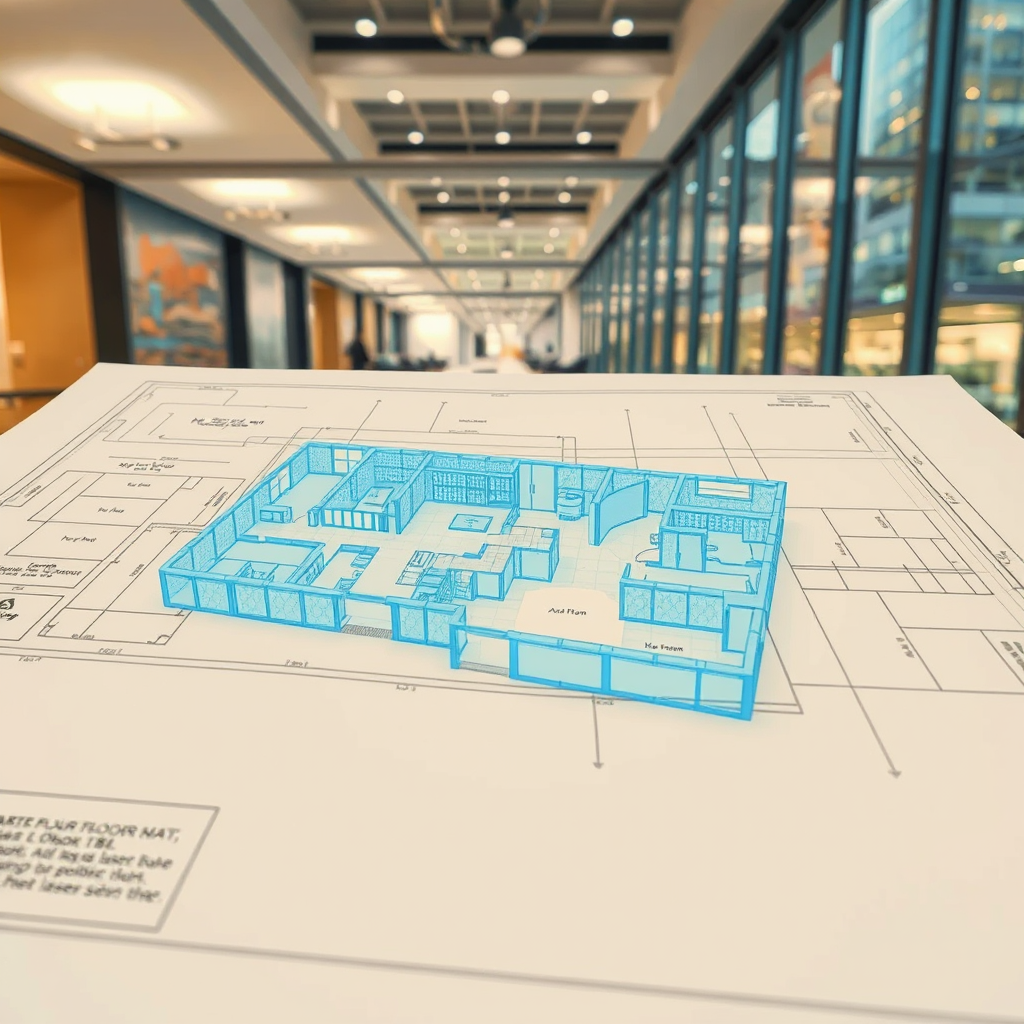
As-Built Drawings Toronto: What They Are, When You Need Them, and How to Get Them Fast
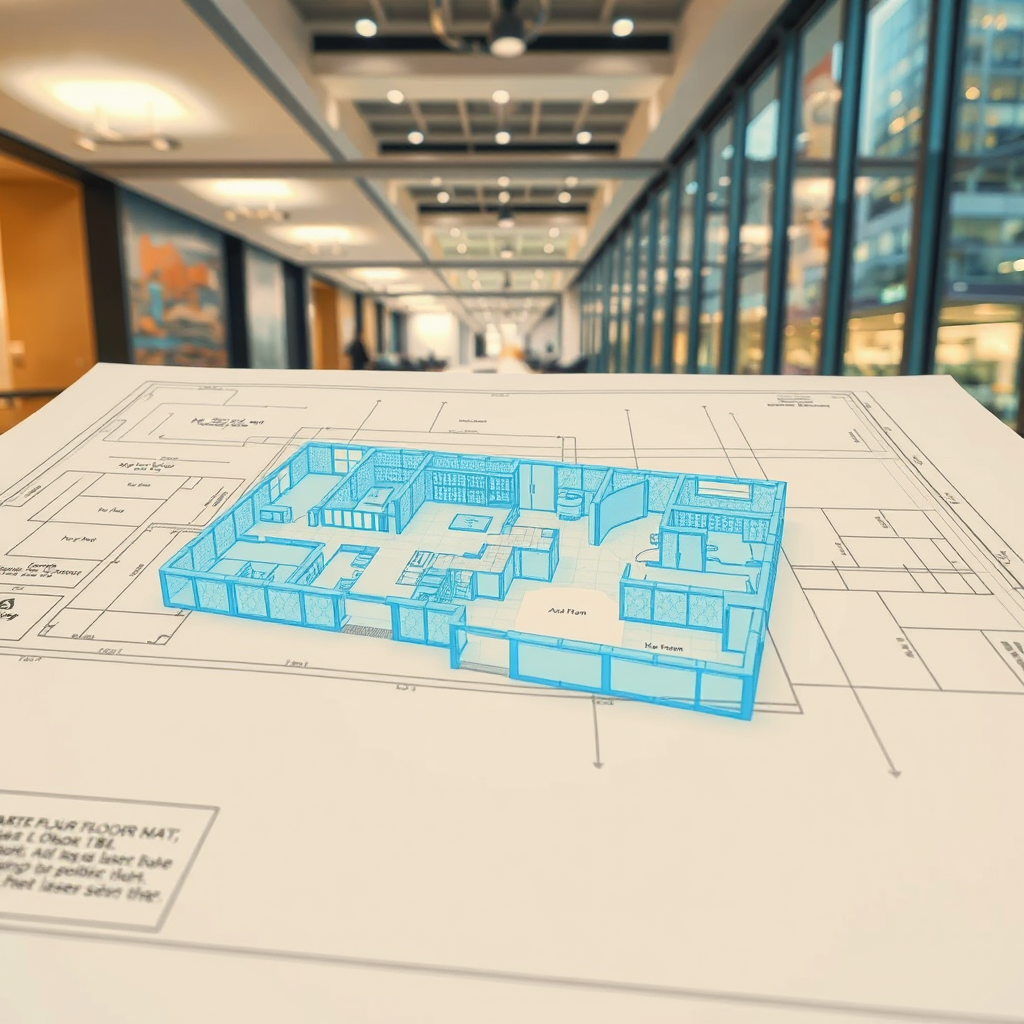
If you've ever tried to renovate a building, apply for a permit, or hand off a construction project in Toronto, chances are someone has asked you for as-built drawings. But what exactly are they, how do you get them, and why does it seem to take forever?
This guide answers those questions — and explains why more architects, engineers, and contractors in the GTA are turning to 3D laser scanning to get accurate as-builts in a fraction of the time.
What Are As-Built Drawings?
As-built drawings (also called record drawings or as-built plans) are architectural or engineering drawings that document a building as it actually exists — not as it was originally designed. They reflect every change made during construction, every deviation from the original blueprint, and every feature of the structure as it stands today.
They typically include:
Floor plans with accurate dimensions
Reflected ceiling plans
Electrical and mechanical layouts
Structural elements such as columns, beams, and load-bearing walls
Door and window schedules
Exterior elevations
The key word is accurate. An as-built drawing is only useful if it reflects reality — and that's where traditional methods often fall short.
When Do You Need As-Built Drawings in Toronto?
As-built drawings are required in a wide range of situations. The most common include:
Renovation and retrofit projects. Before any structural or mechanical work begins, contractors and architects need to understand what's already there. As-builts prevent costly surprises mid-project.
Building permit applications. The City of Toronto and most GTA municipalities require accurate floor plans and elevations as part of permit submissions for alterations, additions, or change-of-use applications.
Property transactions. Buyers, lenders, and insurers increasingly require accurate documentation of a building's existing conditions — especially for commercial and industrial properties.
Facility management. Building owners and managers need up-to-date drawings to plan maintenance, manage space, and coordinate tenant fit-outs.
Heritage preservation. Toronto has a significant stock of older buildings where original drawings no longer exist or are inaccurate. As-builts are essential before any restoration work.
Legal and insurance disputes. Accurate documentation of a building's existing state can be critical in resolving disputes over construction defects or damage claims.
How Are As-Built Drawings Produced?
There are two main approaches: traditional field measurement and 3D laser scanning.
Traditional field measurement involves a technician physically measuring a space with tape measures, laser distance meters, and hand sketches, then drafting the drawings in CAD software. It's time-consuming, error-prone, and often results in drawings with tolerances of 1–3 inches — which can cause serious problems downstream.
3D laser scanning uses a high-precision scanner to capture millions of data points across a space in minutes, generating a dense point cloud that accurately captures every surface, structural element, and feature of the building to within 2–3 millimetres. That point cloud is then used to produce highly accurate CAD drawings or full BIM (Building Information Models) in Revit.
For anything beyond a simple single-room renovation, laser scanning is faster, more accurate, and ultimately more cost-effective — because errors caught in the drawing stage cost far less than errors caught on site.
As-Built Drawings vs. Scan-to-BIM: What's the Difference?
As-built drawings are 2D representations — floor plans, elevations, sections. Scan-to-BIM takes the same laser scan data and produces a full 3D model in Revit or AutoCAD, where walls, floors, ceilings, MEP systems, and structural elements are modelled as intelligent objects.
For simple permit applications or renovation planning, 2D as-builts are often sufficient. For complex commercial projects, mechanical coordination, or clash detection, a full BIM model is the right tool.
Lightbound 3D offers both — we can produce 2D as-built drawings from our laser scan data or deliver a full Scan-to-BIM model depending on what your project requires.
What Do As-Built Drawings Cost in Toronto?
Pricing varies based on the size and complexity of the space, the level of detail required, and the deliverable format (2D CAD vs. full BIM model).
As a general guide:
Small spaces (under 2,000 sq ft): Starting from $1,500
Mid-size commercial (2,000–10,000 sq ft): $2,500–$6,000
Large or complex buildings: Quoted on project scope
Traditional measurement-based as-builts may appear cheaper upfront but often require return site visits to verify measurements — adding cost and delays. Laser scanning captures everything in a single site visit, reducing overall project time and risk.
Why Toronto Projects Choose Lightbound 3D
Lightbound 3D is a Toronto-based 3D scanning and BIM company serving architects, engineers, contractors, and property owners across the GTA. We use professional-grade laser scanning equipment to capture existing conditions accurately and efficiently, then deliver as-built drawings or Scan-to-BIM models in the format your project requires.
Our work spans commercial offices, residential buildings, heritage properties, industrial facilities, and retail spaces across Toronto, Mississauga, Brampton, Vaughan, and the broader GTA.
Ready to get started? Request a quote for as-built drawings →
Or learn more about our Scan-to-BIM services in Toronto →
Frequently Asked Questions
-
With 3D laser scanning, most projects are completed within 3–7 business days from the site visit. Complex buildings or large floor plates may take longer. Traditional measurement-based methods typically take 2–4 weeks.
-
Yes — the City of Toronto requires accurate existing condition drawings as part of most permit applications for alterations, additions, or change-of-use. As-built drawings produced from laser scan data are accepted by the City and meet the required accuracy standards.
-
Construction drawings (also called design drawings or working drawings) show what a building is intended to look like when built. As-built drawings show what the building actually looks like after construction — including any deviations from the original design.
-
Yes. This is one of the most common scenarios we encounter in Toronto. Laser scanning captures the existing conditions of any building regardless of age or whether original drawings exist.
-
We deliver drawings in AutoCAD (.dwg), PDF, and Revit (.rvt) depending on project requirements. We'll confirm the required format before starting your project.
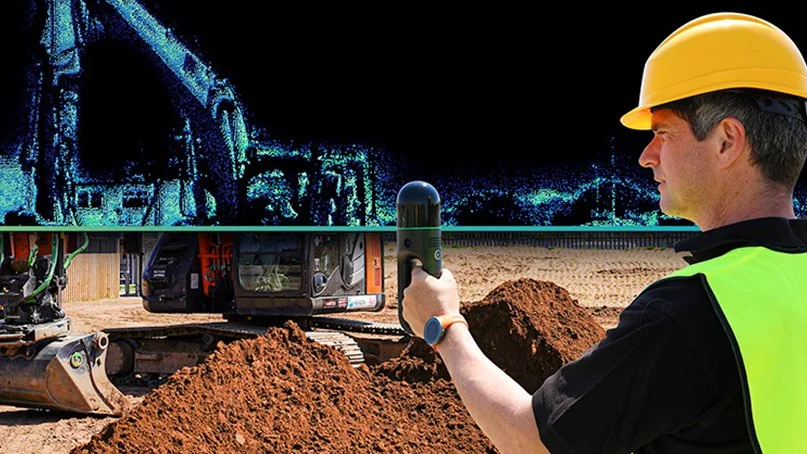
3D Scanning Software vs. Hiring a Specialist: What's Right for Your Project?
When someone searches for "3D scanning Toronto" today, they'll find two very different kinds of results: local specialists like Lightbound 3D, and global software platforms promising to let anyone capture and manage 3D data themselves. Tools like Matterport, HxDR, and DocuSketch have genuinely changed what's possible — but they've also created a lot of confusion about what a 3D scanning specialist actually does that a platform can't.
This post answers that question directly.
What self-serve 3D scanning platforms actually do
Consumer and prosumer platforms like Matterport (virtual tours), HxDR (cloud-based digital twin management), and similar tools are designed around a specific premise: give a non-specialist a camera and app, and let them capture a space with minimal training.
For certain use cases, this works well. A property manager doing a basic condition report. A homeowner documenting a space before renovations. An insurance adjuster needing a quick visual reference. In those scenarios, a self-serve platform is fast, affordable, and sufficient.
What these platforms produce is a visual experience — a navigable 360° environment that looks impressive on screen. What they do not reliably produce is accurate, actionable spatial data that professionals can build on.
What a 3D scanning specialist delivers that a platform cannot
When architects, engineers, contractors, and developers hire Lightbound 3D, they're not paying for a walkthrough video. They're paying for deliverables with professional accountability behind them.
1. Millimetre-accurate point cloud data
Professional-grade laser scanners — the kind used in Scan-to-BIM and as-built documentation — capture geometry at accuracies of 1–3mm. Consumer Matterport hardware operates at roughly ±1% of distance, which sounds small until you're trying to fit a structural beam or calculate code-compliant clearances. The difference matters enormously in renovation, fit-out, and MEP coordination work.
2. BIM-ready deliverables
A point cloud is raw data. A Revit model, a coordinated IFC file, or a set of as-built drawings is a deliverable. Scan-to-BIM is the process of converting one into the other — and it requires trained technicians who understand LOD (Level of Detail) requirements, BIM standards, and how the model will actually be used downstream. No platform automates this. It requires human expertise.
3. Professional accountability
When a structural engineer or heritage consultant commissions as-built documentation from Lightbound 3D, they're getting a deliverable they can stake their own professional work on. A self-generated Matterport scan carries no such guarantee. If the dimensions are wrong, there's no professional liable for the error.
4. Complex environments
Large floor plates, multi-storey buildings, heritage structures with irregular geometry, sites with low light or reflective surfaces — these all require scanner selection, scan registration strategy, and field expertise that a consumer app cannot replicate. Professional laser scanners use sophisticated registration algorithms across dozens of scan positions. Getting it right requires judgment, not just hardware.
5. Integrated deliverables
A specialist combines the right tools for the job: terrestrial laser scanning for large commercial spaces, Matterport for immersive client presentations, drone photogrammetry for exterior and site work. A platform locks you into one capture method and one output format.
When a platform is the right choice
To be clear: self-serve platforms have their place. If you need:
A basic virtual walkthrough for a residential listing
Internal condition documentation with no design or engineering downstream
A quick visual reference that doesn't need to be dimensionally accurate
A simple space hosted and shared online affordably
...then a Matterport camera and a monthly subscription may be all you need. We won't pretend otherwise.
When you need a specialist
Hire a 3D scanning specialist when:
You need accurate as-built dimensions for design, renovation, or construction
Your deliverable is a BIM model, CAD drawing, or set of as-built plans
The project involves complex geometry, multiple floors, or large square footage
Your downstream team (architect, engineer, contractor) needs data they can build on
You need drone integration, exterior capture, or multi-method documentation
There is professional liability attached to the accuracy of the deliverable
You need fast turnaround with guaranteed quality — not trial and error
The Toronto market context
In the GTA's competitive construction and real estate market, the cost of an inaccurate as-built model shows up quickly — in RFIs, change orders, and coordination failures that cost far more than the original scan. Professional 3D scanning from $1,500 is one of the highest-ROI investments on any renovation or fit-out project when the alternative is a costly field measurement error mid-construction.
For real estate, Lightbound's Matterport virtual tours start at $249 — a specialist-produced result that includes professional scan registration, properly hosted tours, and full floor plan integration. The comparison to a self-managed platform setup isn't just quality — it's time.
Questions? We're happy to discuss your specific project.
Lightbound 3D serves architects, engineers, developers, property managers, and real estate professionals across Toronto and the GTA. If you're weighing your options, contact us at hello@lightbound3d.com or (437) 775-9000 and we'll give you a straight answer about what makes sense for your project.
Digital Twins for Real Estate: What Property Owners Need to Know
A digital twin is a living 3D replica of your property built from scan data. Learn how real estate owners in Toronto are using digital twins for facility management, leasing, and renovation planning.
Author: Jonas Lood, Lightbound 3D
A digital twin is a virtual replica of a physical property — a 3D model built from real scan data that mirrors the actual building in its current condition. For real estate owners and property managers in Toronto and the GTA, digital twins are becoming an essential tool for managing assets more efficiently, marketing spaces more effectively, and planning renovations with greater accuracy.
Unlike static floor plans or architectural drawings that go out of date the moment a tenant modifies their space, a digital twin is a living document that can be updated as the building changes. It gives you a single, accurate, visual record of your property that your entire team — from facility managers to leasing agents to design consultants — can access from anywhere.
What Is a Digital Twin in Real Estate?
In real estate, a digital twin is a three-dimensional model of a building created from physical scan data — typically captured using Matterport 3D cameras, LiDAR laser scanners, or both. The model represents the property as it actually exists today, including room layouts, finishes, ceiling heights, structural elements, and in some cases mechanical and electrical systems.
The digital twin can take different forms depending on the use case. A Matterport 3D virtual tour provides an immersive, navigable walkthrough that anyone can explore from a web browser — ideal for leasing, marketing, and remote property inspection. A point cloud captured by laser scanning provides millimetre-accurate measurement data for renovation design and construction planning. And a BIM model in Revit converts that scan data into an intelligent 3D model with defined building elements for architects and engineers.
These aren't separate products competing with each other — they're layers of the same digital twin, each serving a different audience and purpose within the property lifecycle.
How Property Owners Are Using Digital Twins in Toronto
Toronto's commercial real estate market is one of the most active in North America, with constant tenant turnover, building repositioning, and capital improvement programs. Digital twins are helping property owners navigate this activity more efficiently in several ways.
Facility management teams use digital twins to conduct remote property inspections, plan maintenance work, and document building conditions without dispatching staff to every site. When a property manager needs to check a ceiling tile condition or verify a mechanical room layout, they can walk through the space virtually instead of driving across the city.
Leasing teams use Matterport virtual tours to market vacant spaces to prospective tenants anywhere in the world. A tenant in Calgary evaluating a sublease opportunity on King Street can tour the floor plate from their laptop, assess the layout and finishes, and decide whether to fly in for a showing — dramatically reducing the number of unproductive site visits.
Renovation planning benefits from the accuracy of laser-scanned digital twins. When an architect needs existing conditions documentation for a tenant improvement or base building upgrade, the scan data provides a precise starting point for design — eliminating weeks of manual measurement and reducing the risk of costly field conflicts during construction.
Insurance and compliance documentation is simplified with a digital twin on file. Building owners can provide insurers with a comprehensive visual record of property conditions, and compliance teams can reference the model for code and accessibility reviews without scheduling a site visit.
Matterport vs. Laser Scanning: Which Creates the Right Digital Twin?
The right approach depends on what you need the digital twin for.
Matterport 3D scanning is ideal for visual documentation, virtual tours, floor plans, and marketing. The camera captures a photorealistic 3D model that anyone can walk through in a web browser. It's fast, affordable, and perfect for leasing presentations, tenant onboarding, and general facility documentation. A standard Matterport scan starts at $249 for a virtual tour or $349 with floor plans.
3D laser scanning with LiDAR produces survey-grade measurement data with millimetre accuracy. This is the right choice when the digital twin will be used for renovation design, Scan to BIM modeling, structural analysis, or any application requiring precise dimensional data. Laser scanning starts at $1,500, with Scan to BIM modeling starting at $2,000.
Many property owners use both. A Matterport tour serves the leasing and facility management teams, while a laser scan and BIM model serve the design and construction teams.
At Lightbound 3D, we call this combined deliverable BIM+ — our methodology pairing a Revit BIM model with a Matterport virtual tour, both captured in a single site visit. The technical team works in the model. Everyone else — property managers, leasing brokers, asset owners — works in the tour. Both reflect the same physical reality because both came from the same scan.
Digital Twins for Multi-Property Portfolios
The value of digital twins multiplies across a portfolio. When you have a standardized digital twin for every property in your portfolio, your operations team can compare spaces, plan capital improvements across buildings, and make portfolio-level decisions using consistent, up-to-date data.
Lightbound 3D works with multi-location operators across Ontario — including restaurant chains that have documented every new location as they expanded across southern Ontario. Each property's digital twin is captured to the same standard, creating a growing library of consistent building documentation that the corporate facilities team accesses remotely for maintenance planning, brand compliance reviews, and renovation scoping.
This approach works equally well for commercial office portfolios, retail chains, multi-residential buildings, and institutional owners managing dozens or hundreds of properties across the GTA.
What Does a Digital Twin Cost?
Digital twin pricing depends on the scope — specifically, which layers of the digital twin you need.
For a Matterport-based digital twin with a virtual tour and floor plans, pricing starts at $349 per space. This covers the visual layer — an interactive 3D walkthrough with dimensioned floor plans that serves leasing, marketing, and general facility documentation needs.
For a scan-grade digital twin with laser scanning and BIM modeling, pricing starts at $1,500 for the scan and $2,000 for the Revit model. This covers the precision layer — survey-accurate point cloud data and intelligent BIM models for renovation design and construction planning.
Ongoing hosting for Matterport virtual tours is $9.99 per month per space.
For multi-property portfolios, we provide volume pricing and can structure ongoing scanning programs on a per-project or retainer basis. Contact us at 437-775-9000 for a custom quote.
Getting Started with a Digital Twin
Creating a digital twin starts with a single scan. You don't need to digitize your entire portfolio at once — most property owners start with one building or one floor and expand from there as they see the value.
The process is straightforward. We visit the property, capture the space using Matterport and/or laser scanning depending on your needs, and deliver the finished digital twin within days. Your team can access the virtual tour immediately from any device, and BIM deliverables follow within one to two weeks depending on project complexity.
If you're not sure which approach is right for your property, we're happy to walk you through the options based on your specific use case.
Frequently Asked Questions
What is a digital twin in real estate? A digital twin is a virtual 3D replica of a physical property, built from Matterport or laser scan data. It represents the building as it actually exists today and can be used for facility management, leasing, renovation planning, and building documentation.
How much does a digital twin cost for a commercial property? A Matterport-based digital twin with a virtual tour and floor plans starts at $349. A laser-scanned digital twin combines 3D laser scanning (from $1,500) with Scan-to-BIM modeling (from $2,000) — a typical commercial floor plate package starts around $3,500. Pricing depends on building size, complexity, and the level of detail required.
Can a digital twin be updated? Yes. Digital twins can be rescanned and updated whenever the building undergoes significant changes — tenant improvements, renovations, or system upgrades. Many property owners schedule periodic rescans to keep their digital twin current.
What is the difference between a Matterport tour and a laser scan? A Matterport tour creates a photorealistic, navigable 3D walkthrough ideal for marketing and visual documentation. A laser scan captures millimetre-accurate measurement data suitable for renovation design, BIM modeling, and construction planning. Both can be captured in a single site visit.
Ready to Create a Digital Twin of Your Property?
Whether you manage a single building or a multi-property portfolio, Lightbound 3D delivers digital twin solutions that help you manage, market, and improve your real estate assets. We serve property owners, facility managers, and commercial real estate teams across Toronto and the Greater Toronto Area.
Order Now | Learn More About Our Matterport Services | Learn More About Our 3D Scanning Services | Explore Our Projects
What is Scan-to-BIM? A Complete Guide
Scan to BIM converts 3D laser scan data into accurate Revit BIM models. Learn how the process works, what it costs, and why architects, engineers, and contractors across Toronto rely on it.
Author: Jonas Lood, Lightbound 3D
Scan to BIM is the process of converting 3D laser scan data into an intelligent Building Information Model (BIM) — typically a Revit model that architects, engineers, and contractors can use for renovation design, construction planning, and facility management. Instead of sending a team with tape measures to manually document a building, you scan the space with a LiDAR scanner, capture millions of precise data points, and then model the building digitally from that data.
The result is a dimensionally accurate 3D model of the building as it actually exists — not as it was originally designed, but as it stands today, including every modification, renovation, and field change made over the building's lifetime.
How the Scan to BIM Process Works
The process has three stages. First, a field team captures the physical space using a 3D laser scanner. The scanner emits laser pulses that measure the distance to every surface in the room, recording millions of individual data points per scan position. Multiple scan positions are registered together to create a complete three-dimensional point cloud of the entire building or floor.
Second, the raw point cloud data is processed and cleaned. This involves removing noise, aligning scan positions, and producing a unified dataset that accurately represents the space.
Third, BIM technicians use the point cloud as a reference to build an intelligent 3D model in Revit. They trace walls, floors, ceilings, doors, windows, structural elements, and MEP systems directly from the scan data, creating a model that reflects the true dimensions and spatial relationships of the building. The finished model includes not just geometry but information — wall types, material properties, system classifications, and spatial data that makes the model useful for design, analysis, and coordination.
Point Cloud to BIM: Understanding the Data
The point cloud is the foundation of every Scan to BIM project. It's a dataset containing millions — sometimes billions — of individual measurement points, each with an X, Y, Z coordinate and often colour information captured from photographs taken during the scan.
When you hear the term "point cloud to BIM," it describes the same process as Scan to BIM — converting this raw measurement data into a structured, intelligent Revit model. The point cloud itself is delivered in standard formats such as .rcp (Autodesk ReCap), .e57, or .las, and can be loaded directly into Revit, AutoCAD, or Navisworks as a visual reference alongside the modelled elements.
Point clouds are highly accurate — typically within 1–2 millimetres — which means the BIM model built from them is far more dimensionally precise than anything produced from manual measurement.
Levels of Detail (LOD) in Scan to BIM
Not every project requires the same level of modelling detail. The industry uses a standardized LOD scale to define how much information the BIM model should contain.
LOD 200 is the most common level for Scan to BIM projects. It includes the basic geometry of architectural elements — walls, floors, ceilings, doors, windows, and columns — with approximate dimensions and locations. This level is sufficient for most renovation planning, space analysis, and general facility documentation.
LOD 300 adds precise dimensions, accurate material representations, and detailed connections between elements. This level supports detailed design development and construction documentation.
LOD 400 includes fabrication-level detail — exact sizes, shapes, and connections suitable for manufacturing and construction coordination. This level is typically required for complex MEP coordination and prefabrication work.
At Lightbound 3D, standard Scan to BIM projects include LOD 200 modelling, with LOD 300 and LOD 400 available on request based on project requirements.
Who Uses Scan to BIM?
Scan to BIM serves a wide range of professionals in the architecture, engineering, and construction (AEC) industry. Architects use Scan to BIM models as the starting point for renovation and adaptive reuse design — having an accurate existing conditions model in Revit eliminates weeks of manual documentation and reduces the risk of design conflicts during construction. Structural engineers rely on scan data to verify existing structural conditions before designing additions, modifications, or seismic upgrades.
MEP engineers use Scan to BIM to map existing mechanical, electrical, and plumbing systems before designing new installations — critical for avoiding clashes in renovation projects where existing routing is hidden above ceilings or behind walls. General contractors use the models for accurate scope estimation, construction sequencing, and trade coordination. And facility managers use Scan to BIM models as a living digital record of their building, supporting ongoing maintenance, space planning, and capital improvement projects.
In Toronto's commercial real estate market, Scan to BIM is increasingly standard practice for any significant renovation or repositioning project. Older buildings with decades of undocumented modifications benefit enormously from the accuracy and completeness of scan-based documentation.
Scan to BIM vs. Traditional Surveying
Traditional building surveying relies on manual measurement — tape measures, laser distance meters, and hand-drawn field sketches that are later drafted into CAD drawings. This approach is time-consuming, labour-intensive, and limited in accuracy. A typical commercial floor plate might take a survey team three to five days to measure manually, with accuracy in the range of half an inch to an inch.
3D laser scanning captures the same floor in hours rather than days, with accuracy within 1–2 millimetres. The point cloud also captures details that manual surveyors typically miss or simplify — ceiling heights, structural connections, pipe routing, and spatial relationships that are difficult to measure by hand but are automatically recorded by the scanner.
The speed and accuracy difference translates directly into cost savings for the overall project. Faster documentation means less disruption to occupied buildings. Higher accuracy means fewer surprises during construction. And having a complete point cloud on file means the building can be re-examined digitally at any time without returning to the site.
How Much Does Scan to BIM Cost in Toronto?
Scan to BIM pricing depends on building size, complexity, and the level of detail required. At Lightbound 3D, 3D laser scanning starts at $1,500 and Scan to BIM modelling starts at $2,000. A typical commercial floor plate of 10,000 to 20,000 square feet at LOD 200 might cost $3,500 to $6,000 for the complete scan and model package, depending on the complexity of the space and the number of MEP systems to be documented.
Factors that affect pricing include the number of floors, ceiling heights, accessibility of spaces, the density of MEP systems, and whether the modelling scope includes architectural only or full architectural plus MEP. Multi-floor or multi-building projects are typically quoted on a per-project basis.
For a detailed quote based on your specific project, contact us at 437-775-9000 or request a quote through our website.
Common Scan to BIM Deliverables
A typical Scan to BIM engagement produces several deliverables. The Revit BIM model (.rvt) is the primary output — a fully modelled 3D representation of the existing building that can be used directly by design teams. Point cloud data is delivered in .rcp, .e57, or .las formats for teams that want access to the raw scan data. 2D floor plans, sections, and elevations can be extracted from the Revit model and delivered as .dwg (AutoCAD) or PDF files. And a Matterport 3D virtual tour can be captured during the same site visit if visual documentation is also needed.
Beyond Scan-to-BIM: The BIM+ Approach
Scan-to-BIM gives the design team a Revit model. But a Revit model only serves the people on the project team who can open it — typically just the architects, engineers, and contractors. That's the gap BIM+ is built to close.
BIM+ is our methodology pairing Revit precision with Matterport accessibility. On every Scan-to-BIM project we deliver, we capture a Matterport virtual tour of the same space in the same site visit. The BIM model serves the technical team. The Matterport tour serves everyone else on the project — leasing brokers, property managers, operations leads, asset owners — who can walk through the space in their browser without specialised software.
One source of truth. Two interfaces. Both reflect the same physical reality because both came from the same scan.
For Toronto commercial projects where the people making business decisions are different from the people making design decisions, BIM+ is the difference between a deliverable that sits with the design team and one that gets used across the entire project lifecycle.
Frequently Asked Questions
What is Scan to BIM? Scan to BIM is the process of converting 3D laser scan data into an accurate Building Information Model in Revit. The building is scanned with a LiDAR scanner to create a point cloud, which is then used to model walls, floors, ceilings, structural elements, and MEP systems in three dimensions.
How much does Scan to BIM cost? At Lightbound 3D in Toronto, 3D laser scanning starts at $1,500 and Scan to BIM modeling starts at $2,000. A typical commercial floor plate costs $3,500 to $6,000 for the complete scan and model package depending on size and complexity.
What is the difference between point cloud and BIM? A point cloud is raw measurement data — millions of individual 3D coordinate points captured by a laser scanner. A BIM model is an intelligent 3D model built from that data in Revit, with defined elements like walls, doors, and MEP systems that contain information about their properties and relationships.
What LOD is standard for Scan to BIM? LOD 200 is the most common level of detail for Scan to BIM projects. It includes the basic geometry of architectural elements with approximate dimensions. LOD 300 and LOD 400 are available for projects requiring greater precision or fabrication-level detail.
Ready to Start Your Scan to BIM Project?
Whether you need an existing conditions model for a renovation, as-built documentation for facility management, or a complete point cloud of your building, Lightbound 3D delivers accurate Scan to BIM services across Toronto and the Greater Toronto Area.
Order Now | Learn More About Our Scan-to-BIM Services | Learn More About Our 3D Scanning Services | See Our Scan-to-BIM Project — Custom Estate, Kleinburg